Keep Track of Elderly Parents: Apps, Trackers and Alarms
Three ways to keep track of an elderly parent in the UK: a phone app, a GPS tracker or a personal alarm with 24/7 response. What each does, costs and misses.
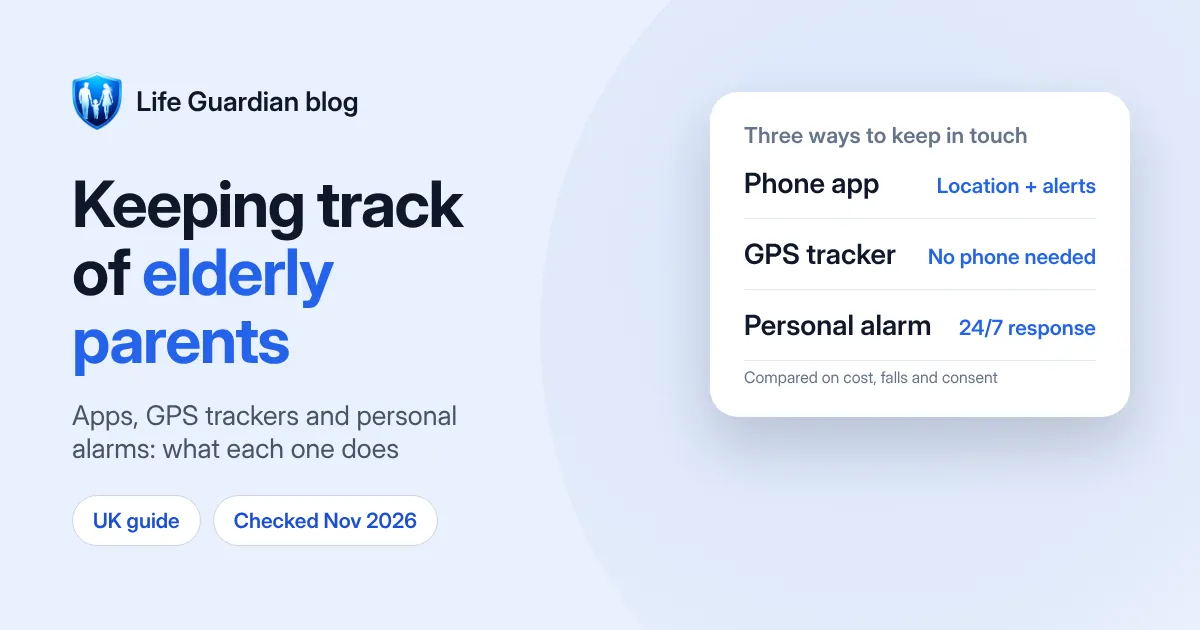
Quick answer: there are three main ways to keep track of an elderly parent, and the right one depends on what you’re worried about.
- They carry a smartphone and you mainly want to know they got home, or where they are: a location-sharing app. Apple Find My and Google Maps location sharing are free, and family locator apps add arrival alerts and an SOS button.
- They don’t use a smartphone, or have dementia and sometimes go out alone: a small GPS tracker or watch that a family member can check.
- They live alone and you’re worried about falls or emergencies at home: a personal alarm with a 24-hour response centre. It’s the only option here where trained staff answer the call and can send help.
Many families use two of these together. Whichever you choose, start with a conversation, not a device.
We make Life Guardian, a family locator app, so we’ve tried to be fair: personal alarms do things our app doesn’t, and we say so below (how we write our guides). Prices were checked on 10 November 2026 and link to their source. If something has changed, tell us at support@lifeguardian247.com.
Start with a conversation
Knowing where someone is can feel like care to you and like being watched to them. Before you set anything up:
- Ask what they want. Some parents like the idea of you knowing they got home; others don’t. Agree who can see their location and when.
- Explain what’s shared. Location apps show where the phone is and, in some apps, battery level and recent places. Say so plainly.
- Make it two-way. Many parents are happier when they can see their children too. In most location apps everyone in the group shares with everyone else.
- Agree how to pause it. Being able to switch sharing off for an afternoon is part of what makes it acceptable.
- If dementia affects their decisions, involve their GP, social worker or the person who holds Lasting Power of Attorney, and keep them involved as much as they can be.
Option 1: a location-sharing app on their phone
If your parent already carries a smartphone, an app is the cheapest and simplest route.
Free options:
- Apple Find My works when everyone has an iPhone. Your parent can share their location with your Family Sharing group from Settings, or from the People tab in Find My (Apple Support).
- Google Maps location sharing works on both iPhone and Android. People you share with see your real-time location and battery level (Google Account Help). Our guide on how to share location between iPhone and Android walks through both directions.
Family locator apps add alerts and safety features. In Life Guardian 24/7, for example:
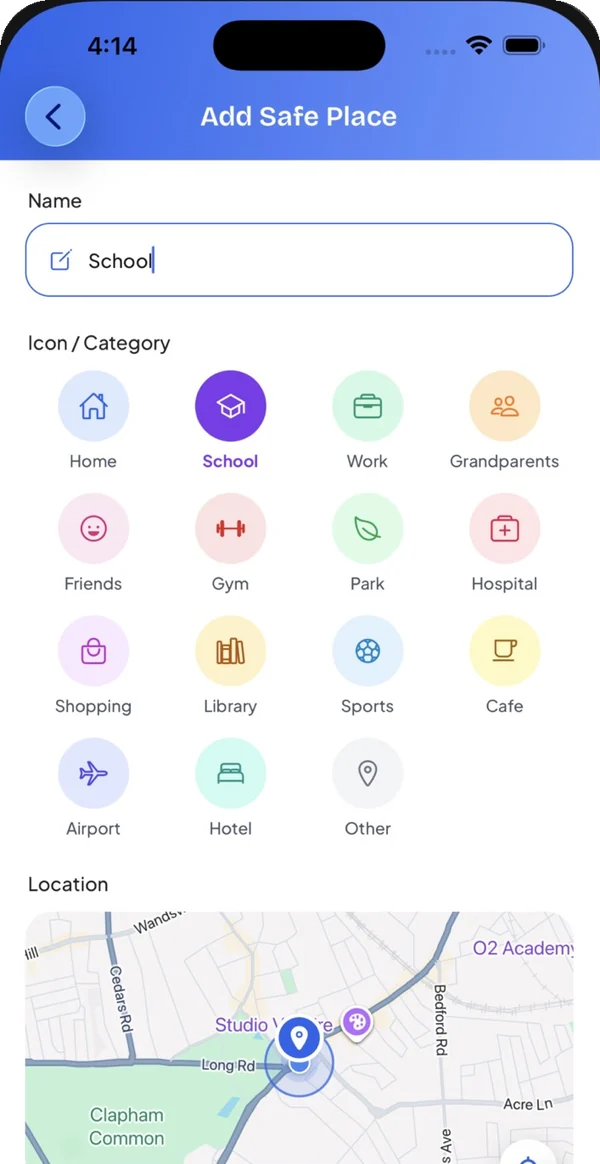
- add Safe Places such as Home, the GP surgery or a friend’s house, and get an alert when your parent arrives or leaves
- see their battery level on the family map, so you know whether a dead phone explains a missing check-in
- they can check in to let the family know they have arrived somewhere
- press and hold SOS to alert everyone in the family Circle with their location. SOS alerts the family only; it does not contact the emergency services, so they should still call 999 in an emergency
- everyone joins by invitation and can pause sharing at any time
Life Guardian is free to join. Creating a Circle needs Premium, £4.99 a month or £49.99 a year in the UK, and the people you invite don’t pay (plans). For other apps, see the best family tracking apps in the UK or our Life360 alternatives comparison.
Limits of any phone app:
- It only works if the phone is with them, switched on, charged and connected.
- Location permission must stay on, and battery-saving settings can delay updates.
- It can’t detect a fall, and nobody is on call to answer an emergency.
Option 2: a GPS tracker or watch
A GPS tracker is a small device, often a pendant, key-ring fob, watch or insole, that reports its location to an app a family member uses. It suits a parent who doesn’t use a smartphone, or someone with dementia who walks out alone.
Many trackers add an SOS button, voice calls and “safe zone” alerts. For example, the Safer Walking GPS locator sold by Alzheimer’s Society’s shop has an SOS button that notifies up to five contacts, safe-zone alerts and two-way calls. It costs £149.99, plus a £12.99 monthly subscription that includes data, and its location refreshes hourly (Alzheimer’s Society shop).
Things to check before buying:
- Who it alerts. Most trackers alert family through an app, not a response centre.
- Battery life and charging. A tracker that isn’t charged can’t help. Pick one that fits an existing routine.
- How it’s worn. A device in a bag can be left behind. A watch or pendant is harder to forget.
- The monthly fee. Most need a SIM or app subscription on top of the device price.
If your parent has dementia, also ask your local police about the Herbert Protocol: a form you fill in ahead of time with a recent photo, medication and places they might go, which you hand to the police if they go missing (West Yorkshire Police).
Option 3: a personal alarm with 24/7 response
A personal alarm is a button worn as a pendant or on the wrist. Pressing it connects to a 24-hour response centre, whose staff can speak to your parent and call a relative or the emergency services.
Age UK’s personal alarms, provided by Taking Care, are a typical example (Age UK):
| Package | What it adds | Set-up fee | Monthly fee (24-hour monitoring) |
|---|---|---|---|
| Digital Personal Alarm | Pendant, works in the home and garden (up to 300 m from the base unit) | £69.99 | £24.49 |
| Digital Fall Alarm | Adds automatic fall detection | £69.99 | £28.49 |
| Taking Care Anywhere | Works anywhere in the UK with mobile signal, with GPS and fall detection | £70.00 | £31.49 |
Prices as shown on 10 November 2026, without VAT. Age UK says most customers qualify for VAT relief; with VAT the monthly fees are £29.39, £34.19 and £37.79.
Fall detection is helpful but not perfect: Age UK describes it as detecting “hard” falls, so your parent should still press the button whenever they can.
Check that any alarm is digital. UK landlines are moving from analogue to digital, and most customers are expected to have switched by the end of January 2027. Digital lines can’t carry power, so a landline alarm may not work in a power cut, and older analogue alarms may need an upgrade (GOV.UK). Which? found some providers still selling analogue-only alarms in 2025 (Which?). Ask the provider whether the alarm needs a landline, or choose one that works over the mobile network.
Apps, trackers and alarms compared
| Phone app | GPS tracker | Personal alarm | |
|---|---|---|---|
| Needs a smartphone | Yes | No | No |
| Shows location to family | Yes | Yes | Only GPS models |
| Arrival and departure alerts | Some apps | Many devices | Rarely |
| Fall detection | No | Some devices | Fall-detection models |
| 24/7 response centre | No | Usually no | Yes |
| Typical cost | Free, or a monthly subscription | Device plus monthly fee | Set-up fee plus about £24–£32 a month (Age UK, ex VAT) |
Which should you choose?
- Independent parent with a smartphone: start with a free option or a family locator app, and add Safe Places for home and the places they go regularly.
- Parent who often forgets or won’t carry a phone: a GPS watch or pendant, set up together.
- Parent living alone with a risk of falls: a personal alarm with fall detection. An app can sit alongside it so the family sees arrivals too.
- Parent with dementia who walks out alone: a GPS tracker they’ll keep on them, plus a completed Herbert Protocol form.
Whatever you choose, test it together in the first week and agree what happens if an alert comes in: who checks, who calls and who goes round.
Help and support
- Age UK Advice Line: 0800 678 1602, 8am to 7pm, 365 days a year (Age UK)
- Alzheimer’s Society Dementia Support Line: 0333 150 3456 (opening hours)
- Carers UK: advice and support for people looking after a relative (carersuk.org)
Frequently asked questions
What is the best way to keep track of an elderly parent?
It depends on the risk. If they carry a smartphone, a location-sharing app is the simplest and cheapest. If they don’t, a GPS tracker works without a phone. If they live alone and might fall, a personal alarm with a 24-hour response centre is the only option where trained staff answer and can send help.
Can I track my elderly parent’s phone without them knowing?
We wouldn’t recommend it. Tracking another adult without their knowledge damages trust, and it isn’t how family location apps are meant to be used. Talk to them first, agree what’s shared, and use an app where they can see who they’re sharing with and pause it.
Is there a free app to track elderly parents?
Yes. Apple Find My is free between iPhones, and Google Maps location sharing is free on iPhone and Android. Paid family locator apps add arrival alerts, check-ins and SOS buttons.
Do personal alarms work without a landline?
Digital personal alarms use a mobile SIM and don’t need a landline. Age UK’s current digital packages, for example, use a multi-network SIM. Older analogue alarms rely on a landline and may need upgrading as landlines move to digital; most customers are expected to have switched by the end of January 2027.
Does Life Guardian detect falls?
No. Life Guardian shows your parent’s location and battery level, sends arrival and departure alerts for Safe Places, and lets them press and hold SOS to alert the family. For automatic fall detection and a 24-hour response centre, use a personal alarm alongside it.
Sources
- Age UK: personal alarms, prices and features checked 10 November 2026
- GOV.UK: UK transition from analogue to digital landlines, checked 10 November 2026
- Which?: personal alarms that won’t work after the digital switchover, 26 August 2025
- Alzheimer’s Society shop: Safer Walking GPS locator, price checked 10 November 2026
- West Yorkshire Police: Herbert Protocol
- Apple Support: share your location with your Family Sharing group
- Google Account Help: manage your Location Sharing settings
- Age UK Advice Line and Alzheimer’s Society Dementia Support Line, checked 10 November 2026

Waleed Imtiaz writes Life Guardian's guides for the team that builds Life Guardian 24/7. Features described here were checked in the app, and competitor details link to their source with the date we checked them. About us.