Life360 Alternatives in the UK (2026): 8 Apps Compared
Looking for an app like Life360? We compare 8 Life360 alternatives for UK families, free and paid, on price in pounds, privacy and features.
Quick answer: the best Life360 alternative depends on why you’re leaving.
- To stop paying altogether: Apple Find My (all-iPhone families) or Google Maps location sharing (mixed iPhone and Android families). Both are free.
- For a young child’s Android phone: Google Family Link, also free.
- For privacy, no ads and a lower price than any paid Life360 plan: Life Guardian 24/7, at £4.99 a month or £49.99 a year.
- For driving safety features: HeyPolo or iSharing.
- For young children with GPS watches: Findmykids.
We make Life Guardian, so we’ve tried to be fair. Every price below comes from the app’s own UK website or UK App Store listing, checked between 2 and 5 November 2026, and each one links to its source. If something has changed, tell us at support@lifeguardian247.com and we’ll update this page.
Why people look for a Life360 alternative
Life360 is the best-known family locator app, and for many families it works well. People who search for apps like Life360 usually have one of these reasons:
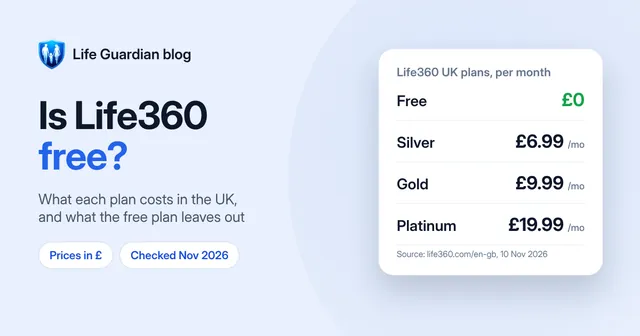
- Price. In the UK, Life360’s paid plans cost £6.99, £9.99 or £19.99 a month, or £69.99, £99.99 or £166.99 a year (Life360 UK pricing). Our guide Is Life360 free? breaks down what each plan includes.
- The free plan’s limits. Life360 Free keeps 2 days of location history and 2 place alerts. More history or more places means paying.
- Privacy. In 2022 Life360 said it would stop selling precise location data, and in 2024 it launched an advertising platform in the US. Some families would rather use an app with no ads at all.
- Simplicity. Higher tiers bundle breakdown cover, identity theft protection, Tile trackers and pet features. If you only want to know that everyone got home safe, that can feel like more than you need.
- It stopped updating. This is usually a setting on the person’s phone rather than a fault in Life360, and the same settings affect every location app. Our guide to fixing Life360 not updating location covers the checks to try before you switch.
If none of these bother you, Life360 may still be the right app. If one does, the alternatives below are worth a look.
Life360 alternatives at a glance
| App | Free option | UK paid price | iPhone + Android | Best for |
|---|---|---|---|---|
| Life360 (for comparison) | Yes, with limits | £6.99, £9.99 or £19.99/month | Yes | Big ecosystem and extras |
| Life Guardian 24/7 | Join a Circle free | £4.99/month or £49.99/year | Yes | Privacy, every generation |
| Apple Find My | Yes, fully free | None | Apple only | All-iPhone families |
| Google Find Hub / Maps | Yes, fully free | None | Yes, via Google Maps | Mixed families on a budget |
| Google Family Link | Yes, fully free | None | Child must use Android | Younger children’s phones |
| HeyPolo | Free download | Shown in app | Yes | Driving safety, crash alerts |
| iSharing | Yes, with limits | From £7.49/month or £66.99/year | Yes | Long history, driving reports |
| GeoZilla | Yes, with limits | Shown in app | Yes | Basic location sharing |
| Findmykids | Live location only, after 7 days | Shown in app | Yes | Young children, GPS watches |
Is there a free alternative to Life360?
Yes. If all you need is to see where your family is, you may not need to pay for anything.
Apple Find My: free, for all-iPhone families
Find My is built into every iPhone. Family members can share their location, see each other on a map and get notified when someone’s location changes, for example when they arrive home.
Keep in mind: it only works between Apple devices, so one Android phone in the family rules it out. There’s no family SOS button or driving reports.
Google Find Hub and Google Maps: free, for mixed families
Google’s location sharing lives in the Find Hub app on Android and in Google Maps, which also runs on iPhone. You can share your real-time location for a set time or until you stop, and get notified when someone arrives at or leaves a place.
Keep in mind: it’s a location-sharing tool rather than a family safety app, so there are no check-ins, family chat or SOS to the group.
Google Family Link: free, for a younger child’s Android phone
Family Link lets parents see their child’s Android device location, save places like home and school, and get alerts when the child arrives or leaves. Parents can use it from an iPhone.
Keep in mind: the child’s phone must be Android, and it’s built for supervising children, not for adults sharing with each other.
Paid apps like Life360
Paid apps earn their place with features the free tools don’t have: SOS to the whole family, check-ins, longer history, driving reports, family chat, and one app that works the same way on iPhone and Android.
1. Life Guardian 24/7: best for privacy and every generation
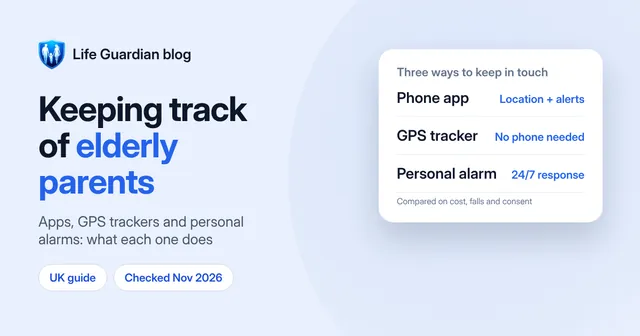
Life Guardian is a private family locator for iPhone and Android, built for kids, teens and older parents alike. (For older parents specifically, our guide on keeping track of elderly parents compares apps with GPS trackers and personal alarms.)
- Live family map with each member’s battery level, and location history
- Safe Places such as Home, School, Work and Grandparents, with arrival and departure alerts
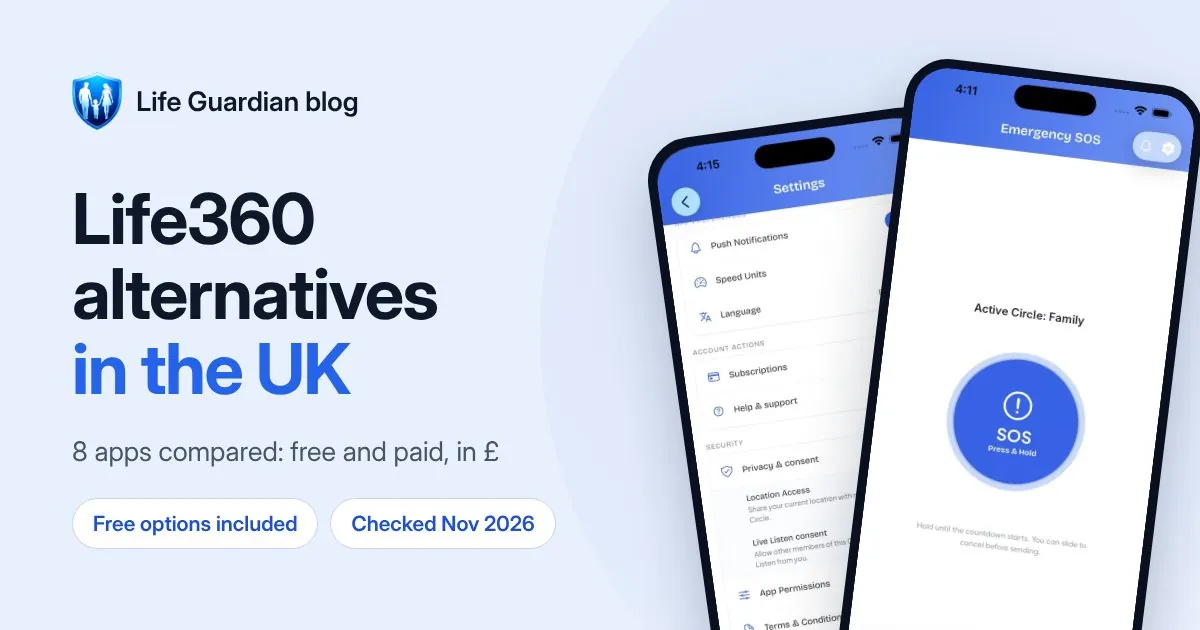
- SOS: press and hold, a 3-second countdown, slide to cancel, and your whole Circle is alerted with your location
- Check-ins, driving reports, Circle chat with voice notes and photos, and audio and video calls
- Live Listen, only for members who’ve turned it on themselves, and never recorded
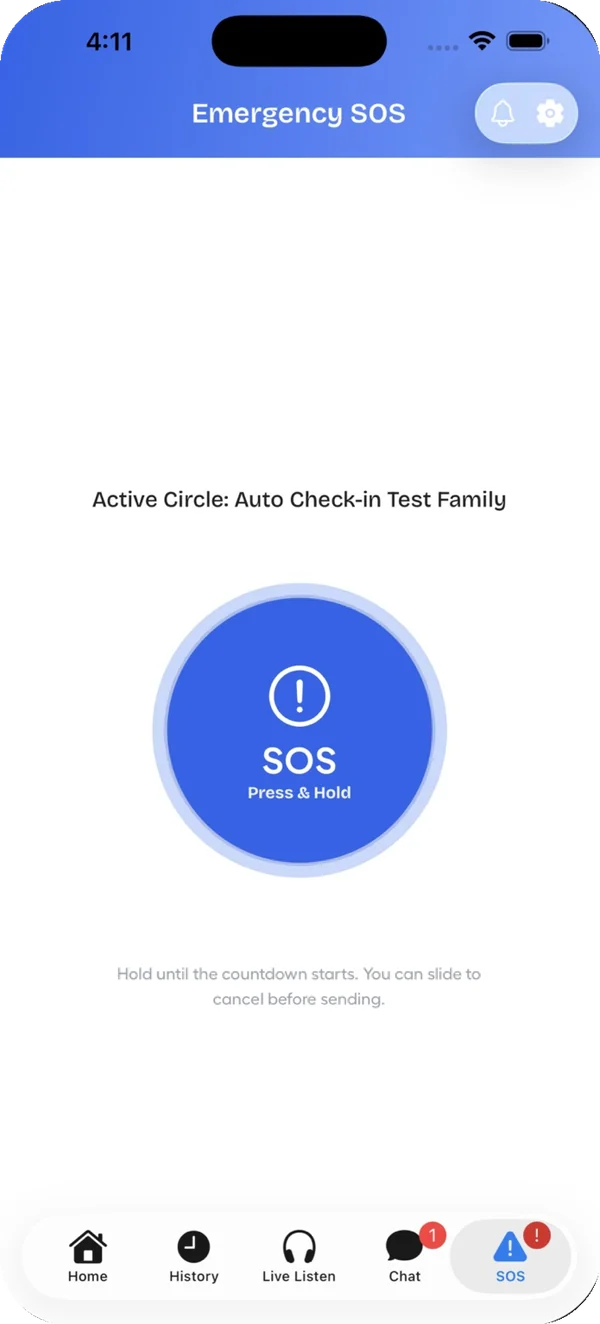
Price: free to download, and free to join a Circle you’re invited to. Creating a Circle needs Premium, £4.99 a month or £49.99 a year (see plans), and one subscription covers everyone you invite. That’s less than Life360 Silver at £6.99 a month or £69.99 a year. New subscribers may get a 7-day free trial.
Privacy: no ads, and Life Guardian does not sell personal data (privacy policy). Each member can pause location sharing for any Circle.
Keep in mind: it’s a newer app, and unlike Life360 you can’t create a Circle for free. It has no breakdown cover or emergency dispatch: SOS alerts your Circle, not the emergency services, so always call 999 in an emergency. For a detailed side-by-side, read Life Guardian vs Life360.
2. HeyPolo: best for driving safety
HeyPolo is a location-sharing app that describes itself as a “family tracker with privacy” (UK App Store listing). It works across iPhone and Android.
- Real-time location sharing, where each person controls how precisely and for how long they share
- Arrival and departure alerts, SOS alerts and low-battery alerts
- Crash detection and a driving safety score based on speeding, phone use and harsh braking
- Calling a group member’s phone even when it’s on silent or Do Not Disturb
Price: free to download, with a subscription priced in the app. One subscription covers the whole family.
Keep in mind: its listing says it doesn’t sell location data to advertisers or insurers, while its App Store privacy label lists Identifiers under “Data Used to Track You”. It’s also a newer app, with a small number of ratings so far.
3. iSharing: best for long history and driving reports
iSharing’s free version includes real-time location, place alerts, a panic alert and walkie-talkie voice messages. Premium adds driving reports, unlimited place alerts and SOS sound recording.
Price: Premium from £7.49–£7.99 a month or £66.99–£69.99 a year, and Gold at £8.99 a month or £89.99 a year (UK App Store listing).
Keep in mind: its App Store privacy label lists Location among the “Data Used to Track You” across other companies’ apps and websites. If you’re leaving Life360 over privacy, check this first.
4. GeoZilla: basic location sharing
GeoZilla offers a family map, place alerts, daily location history, driving alerts, check-ins and messaging.
Price: a free version, plus Premium priced in the app (UK App Store listing).
Keep in mind: on GeoZilla, the option to stop sharing your own location is listed as a Premium feature. On Life Guardian, Life360 and Apple Find My, anyone can stop sharing for free.
5. Findmykids: best for young children and GPS watches
Findmykids focuses on younger children, with location history, arrival and departure notifications, an SOS button, a loud signal that sounds even on silent, family chat and support for GPS watches.
Price: every feature is free for 7 days. After that, only live location stays free and the rest needs a subscription, priced in the app (UK App Store listing).
Keep in mind: it’s built around parents watching children, so it suits a family with teenagers or older parents less well.
Which Life360 alternative is right for your family?
- Everyone has an iPhone and you just want to see locations: Apple Find My.
- Mixed iPhone and Android, and you don’t want to pay: Google Maps location sharing.
- A young child with their first Android phone: Google Family Link, or Findmykids if you want a GPS watch.
- Teen drivers: HeyPolo or iSharing for driving scores and reports, or stay on Life360 Gold if you want breakdown cover and emergency dispatch.
- Older parents, privacy and one simple price: Life Guardian 24/7.
Comparing more broadly, not just against Life360? Our guide to the best family tracking apps in the UK covers the same apps from a buyer’s point of view.
How to switch from Life360
Moving a family to a new app is easiest if you do it in one go:
- Pick the new app and set it up first. With Life Guardian, the person who’ll manage the family creates a Circle and invites everyone.
- Ask everyone to join and turn on location sharing. Check that each person appears on the map before you remove anything.
- Add your places again, such as Home and School, so arrival alerts keep working.
- Leave your Life360 Circle and delete the account if you no longer want Life360 to hold your data. Deleting the app alone doesn’t delete your account.
- Cancel the Life360 subscription in your App Store or Google Play subscription settings. Removing the app doesn’t cancel it.
Talk to your family before you switch. Location sharing works best when everyone knows about it and agrees to it.
How we compared these apps
We checked each app’s own UK pricing page or UK App Store listing, and Apple’s and Google’s help pages, between 2 and 5 November 2026. We compared what’s free, what each paid plan costs in pounds, whether the app works on iPhone and Android, and how each one handles consent and privacy. Life Guardian’s details come from our own app.
Frequently asked questions
What is the best alternative to Life360?
For families who don’t want to pay, the best free Life360 alternative is Apple Find My (all iPhone) or Google Maps location sharing (iPhone and Android). For a paid family locator app with SOS, arrival alerts and no ads, Life Guardian 24/7 costs £4.99 a month, less than any paid Life360 plan. For driving features, look at HeyPolo or iSharing.
Is there an app like Life360 but free?
Yes. Google Maps location sharing is free on iPhone and Android, Apple Find My is free between Apple devices, and Google Family Link is free for a child’s Android phone. Life360 itself also has a free plan, with 2 place alerts and 2 days of history.
Which is cheaper than Life360?
All the free options above, plus Life Guardian 24/7 at £4.99 a month or £49.99 a year. Life360’s cheapest paid plan in the UK, Silver, is £6.99 a month or £69.99 a year.
Can I use Life360 and another app at the same time?
Yes. Running two location apps uses a little more battery, but it’s a sensible way to make sure everyone has moved across before you leave Life360.
Sources
- Life360 UK plans and pricing, checked 5 November 2026
- HeyPolo on the UK App Store, checked 5 November 2026
- iSharing on the UK App Store, checked 2 November 2026
- GeoZilla on the UK App Store, checked 2 November 2026
- Findmykids on the UK App Store, checked 2 November 2026
- Apple: get notified when a friend’s location changes in Find My
- Google: find your friends and family with Find Hub
- Google Family Link: find and manage your child’s location
- The Markup: Life360 says it will stop selling precise location data, 27 January 2022
- Life360: advertising platform announcement, 5 September 2024

Waleed Imtiaz writes Life Guardian's guides for the team that builds Life Guardian 24/7. Features described here were checked in the app, and competitor details link to their source with the date we checked them. About us.